How the Imagen AI Generator Is Changing Visual Content Creation
In a world where strong visuals are essential for engagement, the need for rapid and high-quality image production has never been greater.
Whether you’re a marketer, content creator, social media manager, or brand strategist, compelling visuals can make or break the success of your campaigns.
Traditionally, creating high-quality images required graphic design skills, expensive software, or hiring professionals.
But thanks to AI-powered tools, generating professional-looking images is now faster, cheaper, and far more accessible.
One of the powerful innovations in this space is the imagen AI generator — a tool that combines advanced machine learning models with intuitive user interfaces, enabling creators to turn simple descriptions into detailed, realistic images in moments.
In this article, we’ll explore what the Imagen AI generator is, how it works, its key features, real-world use cases, and how platforms like invideo have now integrated Imagen AI directly into their toolkit to make the process even more seamless.
What is the Imagen AI Generator?
At its most basic level, an AI image generator uses artificial intelligence to create visuals based on user input.
The term “Imagen” refers to Google’s Imagen 4 model, a state-of-the-art text-to-image AI system that produces images with high photorealism, accurate text rendering, and fast generation speeds.
Powered by deep learning architectures, these image generators interpret natural language prompts and turn them into fully rendered images with impressive detail, often within seconds.
Unlike traditional design tools, which require manual editing and layout knowledge, AI image generators allow users to simply describe what they want including the style, mood, subject, and elements and let the machine generate visual results automatically.
How AI Image Generation Works
Although most end-users don’t need to understand the technical details, it helps to know the basics of how AI image generation functions:
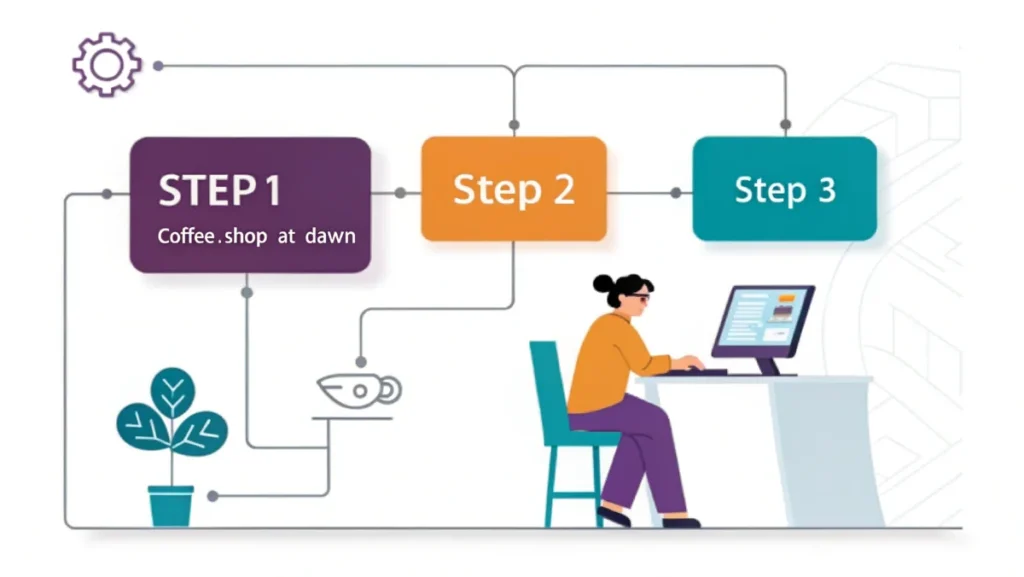
- Text Prompt Input:
Users enter a descriptive prompt detailing the image they want to see such as “a photorealistic shot of a vintage coffee shop at dawn.” - Model Interpretation:
The AI analyzes the prompt, identifying subjects, setting, colors, and composition. - Image Synthesis:
The generator uses deep neural networks to construct an image that matches the prompt’s intent, often relying on diffusion or transformer-based models to refine pixels until the visual output aligns with the description.
This process enables creators with no design background to create professional visuals that weren’t possible to produce quickly before.
Key Features of the Imagen AI Generator
The Imagen AI generator stands out because of several powerful capabilities that make the experience smooth, fast, and high-quality:
1. Photorealistic Output
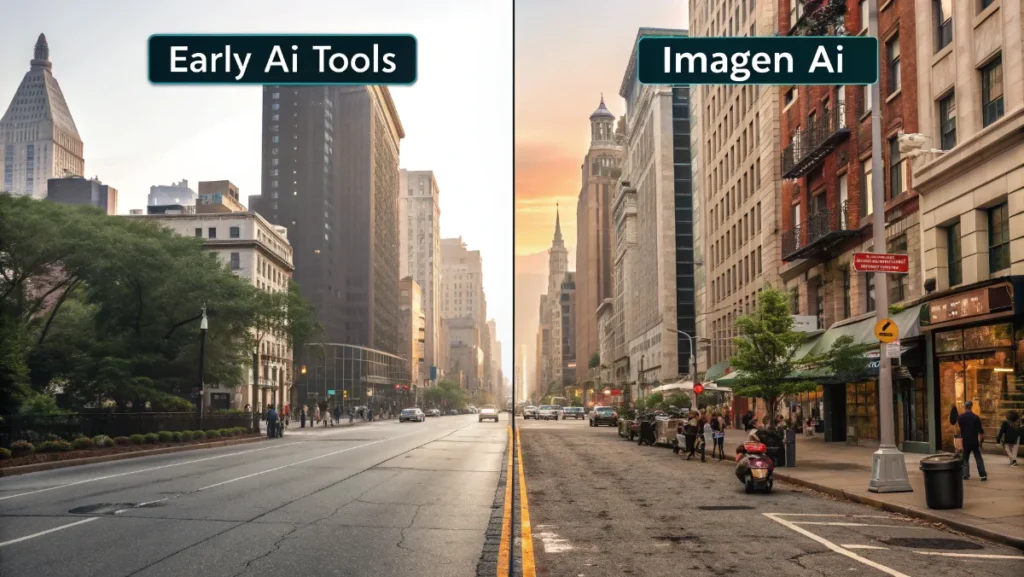
Unlike early AI tools that produced abstract or cartoon-like results, Imagen produces sharp, realistic visuals suitable for professional use in ads, websites, or print materials.
2. Accurate Text Rendering
One of the common challenges in AI image generation is rendering readable, contextually appropriate text within images (such as signs, labels, or product packaging). Imagen handles this much more accurately than many competitors.
3. Fast Generation
The model is optimized for speed, producing results significantly faster than older versions of AI image systems. This means creators can iterate on ideas without long wait times.
4. Multilingual Prompt Support
Imagen supports prompts in multiple languages, making it easier for creators around the world to generate visuals in their native language.
5. Integration With Editing Tools
Instead of forcing users into a separate workflow, Imagen can integrate with tools where image editing, layout, and video production are already happening — making it more actionable for real-world projects.
Practical Uses of the Imagen AI Generator
The versatility of the Imagen AI generator makes it useful across a wide range of creative applications:
Marketing and Advertising
High-quality images are crucial for marketing campaigns. With an AI generator, marketers can quickly create visuals that fit campaign themes, product showcases, or social media posts without waiting for a design team. This approach is particularly valuable for professionals exploring innovative digital marketing strategies that require rapid content iteration and testing.
Social Media and Content Creation
Content creators need fresh visuals constantly. Imagen allows them to generate custom images tailored to their audience from blog graphics to eye-catching social posts boosting engagement and consistency.
E-Commerce and Product Displays
Online sellers can quickly produce professional product images, concept visuals, or advertising assets without needing expensive photography sessions.
This is especially useful for early-stage startups or small businesses with limited budgets. Business owners keeping up with emerging business trends and market developments can leverage AI-generated visuals to stay competitive in fast-moving digital marketplaces.
Educational and Presentation Materials
Teachers, trainers, and speakers often need visuals for slides, handouts, or lesson plans. AI image generators let them produce visuals that clarify complex ideas or illustrate examples without drawing skills.
Editorial and Publishing
Writers and editors can generate cover art, illustrations, or visual headers for articles, enhancing reader engagement and providing visual context without outsourcing design work.
How Invideo Integrates Imagen AI for Easier Visual Workflows
Platforms that bring Imagen AI into a broader creative environment are making the technology far more accessible. One such platform is invideo, which has now integrated Imagen 4 AI image generation within its suite of tools.
This allows users to access imagen AI generator capabilities directly from the invideo interface, eliminating the need to juggle multiple apps or workflows.
With this integration, creators can:
- Generate visuals using natural language prompts
- Customize and tweak images within the same workspace they use for videos and layouts
- Apply text rendering, photorealistic image features, and fast generation without leaving invideo
This unified approach enables smoother workflows for example, a content marketer can generate an Imagen AI visual and instantly use it within a video project, social media ad, or website header without switching platforms.
The integration helps creators maintain a consistent visual style while reducing the time spent on separate tasks.
Tips for Getting Better Results With AI Image Generation
While AI makes image creation easy, the quality of results often depends on how you craft your prompts. Here are some practical tips:
1. Be Specific With Descriptions
The more detail you include in your prompt — such as setting, mood, lighting, and style — the more accurate and tailored the results will be.
2. Include Reference Styles
If you want visuals in a particular artistic style (like watercolor, portrait, or minimalist design), mention it explicitly.
3. Use Iterations
AI tools usually allow multiple generations. Try adjusting your prompt based on early outputs to refine the result. For creators working in specialized fields like cryptocurrency and digital asset management, generating precise visuals for complex financial concepts often requires several iterations to achieve clarity and accuracy.
4. Combine With Editing Tools
Once you have an image, use editing or layout tools to tweak colors, crop, resize, or add text overlays for final polish.
By using these techniques, creators can turn simple prompts into visuals that feel purposeful and professional.
Ethical and Practical Considerations
AI image generation is powerful, but it also raises questions about authorship, bias, and ethical use.
For example, training data may reflect cultural biases if not curated responsibly, and generated art can unintentionally reinforce stereotypes if prompts are broad or insensitive.
Awareness of these issues helps creators use AI responsibly while respecting diversity and inclusivity in visual content.
The Future of AI Image Generation
AI image generation is evolving rapidly. Future developments may offer even more control over texture, lighting, animation, and integration with video generation tools.
Enhanced multilingual support, real-time editing suggestions, and deeper integrations with design software will make these tools even more powerful for creators.
As more platforms adopt AI models like Imagen and connect them to broader creative workflows, the boundary between idea and execution continues to shrink democratizing visual content creation in unprecedented ways.
Conclusion
The imagen AI generator represents a major leap forward in visual content creation. By turning natural language prompts into detailed, photorealistic images with accurate text and fast generation times, it empowers creators across industries to produce professional visuals without needing advanced design skills.
Its wide range of use cases from marketing campaigns to educational content makes it a valuable tool for anyone who needs visual assets quickly and effectively.
With a video creator app like invideo integrating Imagen AI directly into their ecosystem, the process of creating and applying AI-generated visuals has never been more streamlined.
Whether you’re a seasoned designer or someone just starting with digital content, AI image generation opens up new creative possibilities that save time and expand your visual storytelling power.